
Have you lost data on your Mac or have you changed Macs? Do you want to recover your data from a backup? Thanks to backups we are able to save a lot of important information, which we can then recover in case of loss, using a previously created copy. If you want to know how to restore your Mac data from a backup, keep reading this post.
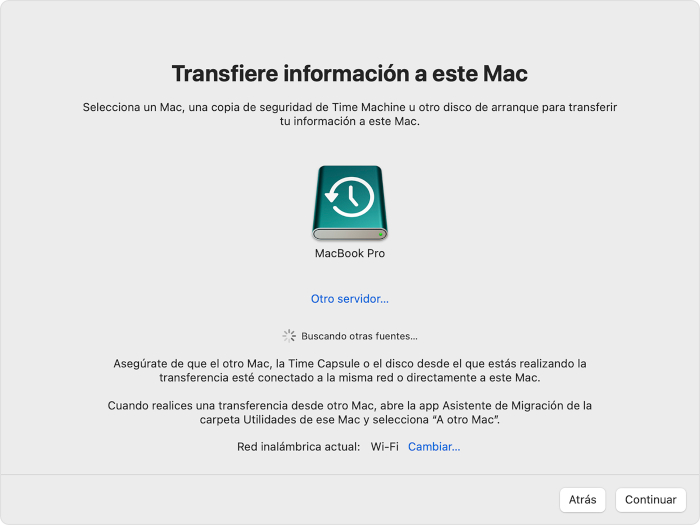
Migration Assistant
This function that offers us Mac gives us the option of data recovery lost from our Mac or move our data to our new Mac, by means of a backup copy. In this case we will show you how to recover data from a backup copy of Time Machine. Below, we will show you the steps to recover the data:
- Make sure that your backup drive, where the backup is stored, is in a safe place. connected to your Mac and ignition.
- Next, enter the Migration Assistant on your Mac. To access it you have to go to the «Applications folder» and then enter the «Utilities» folder. Applications Folder ⇒ Utilities ⇒ Migration Assistant
- When you start it, it will ask you how you want to transfer your data, in our case we will do it from a Mac using a Time Machine backup.
- Next, select the Time Machine backup of your disk. And click on continue.
- Now select, If you have more than one, the copy of the day you want to restore.
- Finally, choose the data who wants recover. And click on «Continue to»to start with the restoration.
Learn more http://Datasystem.es or in https://repararmac.eu/wp-admin/post.php?post=3661&action=edit