How to detect and remove computer viruses: a basic guide to protect your computer

How to detect and remove computer viruses: a basic guide to protect your computer

Computer viruses remain one of the most common threats to users and businesses. They can slow down your computer, steal information, block programs or even render your computer unusable. That is why it is essential to know how to identify them in time and have a professional technical service that can remove them safely.
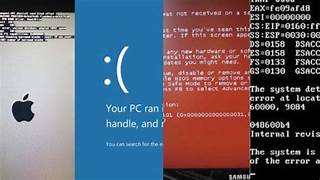
Symptoms that your computer has a virus

Windows open by themselves

Windows open by themselves

Programs that stop working

Internet cuts out or is not working properly

Disappearing files

Strange messages or false alerts

Frequently Asked Questions

How long does the cleaning take?

We normally perform a diagnosis and deep cleaning in less than 24/48 hours.

Will I lose my files when I remove the virus?

 At Data System we prioritize the integrity of your data. In 99% of the cases, we eliminate the threat without affecting your personal documents.

Is it better to clean the PC or to format?

 We always try the cleanup to save your programs, but if the system is too damaged, we offer you the option of clean reinstallation.

Do I have a warranty?

Answer: Yes, all our repairs come with a technical support warranty.

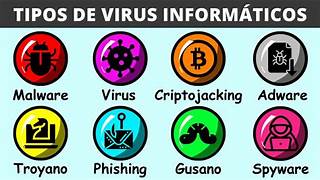
Most common viruses

WHAT'S GOING ON? THE MISTAKE THAT WILL COST YOU DEARLY ❌. THE DATA SYSTEM SOLUTION ✅
Internet is going weird Continue to use it: The virus uses your connection to steal your passwords and send them to a hacker while you browse. Communication cut-off: We disconnect the equipment so that no one can get any data out of your computer.
I am afraid for my bank Enter to review: When you type in your password, the virus «reads» it and the hacker already has access to your money. Clean Scan: We clean the system before you set a password, ensuring that no one spies on you.
PC does not boot properly Install free «cleaners»: Those programs are usually more viruses that further infect your system. Elite Tools: We use professional software that is not on the Internet to remove the virus at its root.
My photos and documents Format everything: You delete the virus, yes, but you also lose all your memories and files forever. Data Rescue: First we save your files and then we annihilate the virus. You lose nothing.

Leave a Comment

Your email address will not be published. Required fields are marked *

Scroll to Top