
Best Mac Apps: Boost your Productivity
Mac apps are essential for getting the most out of your device. They help improve productivity, expand capabilities and strengthen your weaknesses. Whether it's organizing tasks, managing windows or taking notes, the right apps make using your Mac easier and more enjoyable.
How to Find the Best Applications
Many applications are available for free in the Mac App Store. You can access it by clicking on its icon at the bottom of your Mac or from the Apple menu. The App Store has thousands of applications of varying quality, so we rely on our experience and user reviews to select the best options.
The best Mac apps you can download right now
Rectangle
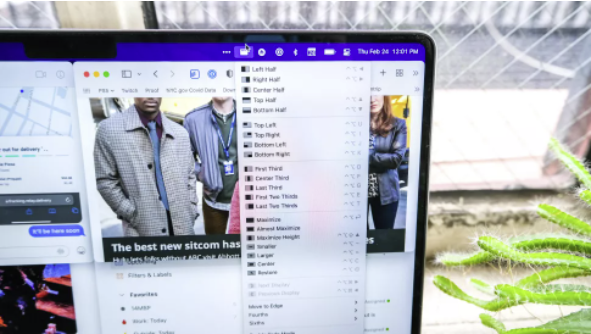
Rectangle is one of the best applications for Mac. Its main function is to manage and organize your windows efficiently. It allows you to fit windows to the corners and edges of the screen, and has a number of keyboard shortcuts for ease of use. The free version is more than enough, although there is also a Pro version for $10. If you're a Windows user, this is similar to what you already enjoy on your PC, and now it's available on Mac.
Bear: The Best Note Taking Application
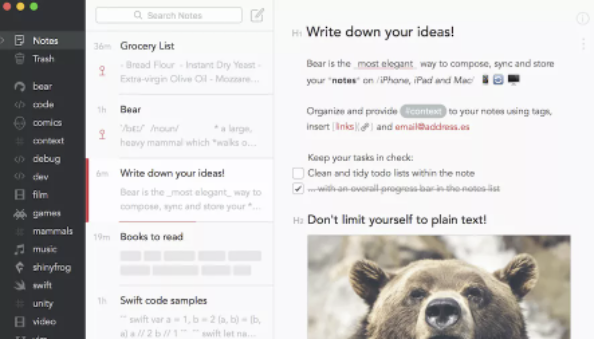
Bear is an excellent alternative to the Notes from Apple. It is free, easy to use and offers a strong focus on privacy. It allows you to write notes in Markdown format, organize them with tags and extract content from web pages. You can also draw or dictate notes, especially useful if you use an Apple Watch. If you're looking for a more robust tool, the Pro version ($14.99/year) lets you sync notes between devices and protect them with Face/Touch ID.
Fantastical: A Superior Calendar
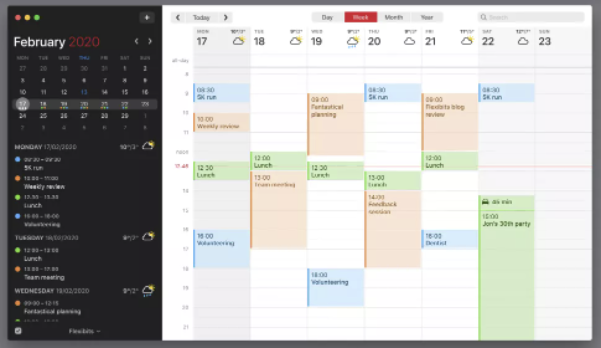
While your Mac already has a built-in calendar, Fantastical takes your task organization to the next level. This award-winning application is known for its clean design and ease of use. The free version offers all the basic features to manage your events efficiently. If you decide to pay for a subscription, you get cross-platform access, cross-device synchronization and more advanced features.
Spark: The Best Email Client
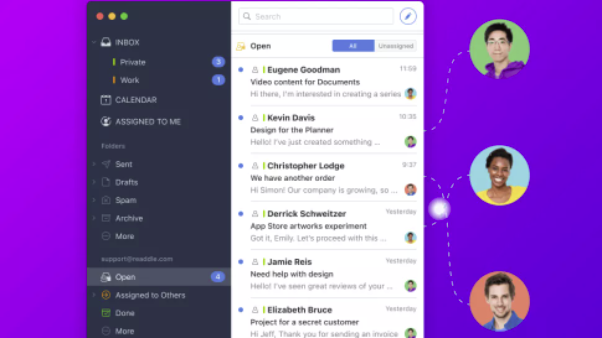
Spark is one of the best alternatives to the default mail application on macOS. It is free and offers many useful features, such as collaborative inbox management. You can assign mails to others, compose mails together and organize your inbox efficiently. It also has a powerful natural language search engine to find emails easily. Spark has versions for iOS and Android, allowing you to manage your mail from any device.
Learn more http://Datasystem.es or in https://repararmac.eu/wp-admin/post.php?post=3661&action=edit