
MacBook Air: The Definitive Guide to Extreme Power and Portability
The MacBook Air is not just a laptop; it has established itself as the absolute benchmark of modern mobile computing. Since its iconic launch, it has evolved from a lightweight tool for everyday tasks to a surprisingly powerful machine thanks to the advent of Apple Silicon. Today, it combines impeccable minimalist design with performance that far exceeds the demands of everyday life.
Design and construction
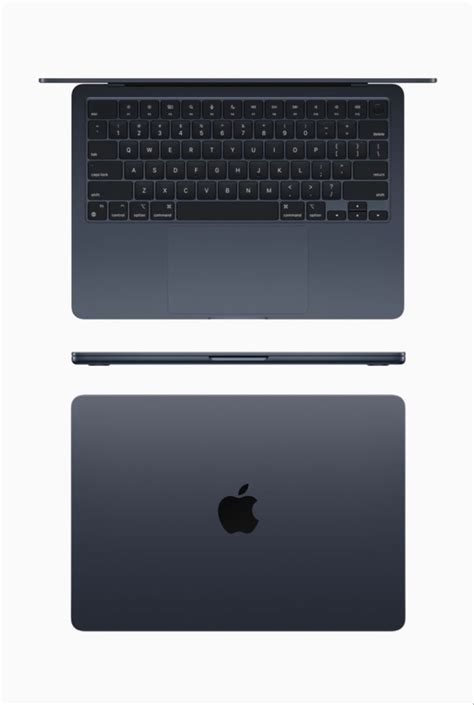
MacBook Air stands out for its ultra-slim profile and recycled 100% aluminum chassis. At only 1.24 kg, it combines lightness and strength with a premium finish.
Quiet performance

Apple Silicon delivers snappy performance for multitasking, light editing and productivity, all without fans. The experience is smooth, efficient and completely silent.
Display and visual experience
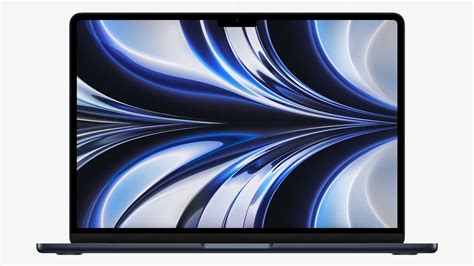
The Retina display delivers vibrant colors, crisp text and bright enough to work in any environment. Ideal for design, reading and content consumption.
⚡ Performance that Exceeds Expectations
Forget the old Intel processors. The new era of the MacBook Air is powered by the Intel M (M2, M3 and the new M5), designed to deliver brutal efficiency and performance worthy of professional equipment.
Thanks to this architecture, the MacBook Air works without fans, which means that it is 100% silent even under load.
| What matters to you | MacBook Air (M5) | Previous Model (M3) | What will you notice? |
|---|---|---|---|
| ⚡ Power and Speed | Ultra fast brain (M5) | Fast brain (M3) | Heavy apps open instantly with no crashes. |
| 🧠 Multitasking | 16 GB factory default | 8 GB base | 50 tabs + apps open without slowdowns. |
| 🌈 Image Quality | XDR (super bright) display | Standard display | Vivid colors and deep blacks for series and editing. |
| 🔋 Battery | Up to 20 hours | Up to 18 hours | You can forget the charger without fear. |
| 🔇 Noise | Absolute silence | Absolute silence | Both fanless: zero noise. |
Frequently Asked Questions
🎬 1. Is the MacBook Air sufficient for video editing and graphic design?
Absolutely. Thanks to the performance cores of the M5 (and M3) chip, you can edit video in 4K and work with apps like Photoshop or Final Cut without problems.
If you do very heavy 3D rendering for hours at a time, you might prefer a MacBook Pro, but for the 95% of users, the Air is more than sufficient.
🔥 2. Does it get very hot because it does not have fans?
No. Apple Silicon dissipates heat passively and efficiently. The equipment is 100% silent.
You will only notice some overheating during extreme tasks (such as exporting a long video), but it will never affect normal performance.
How much RAM do I really need in 2026?
With the advent of Apple Intelligence, the bar has been raised.
The ideal today is 16 GB of RAM to ensure total fluidity for the next 5 years.
🖥️ 4. What is the difference between the 13″ model and the 15″ model?
In power they are practically the same.
The difference is in the experience:
- The 15″ offers more room for multitasking and a 6-speaker system.
- The 13″ is the king of portability due to its reduced weight.
🖥️🖥️ 5. Can I connect several external monitors?
Yes, the models with M3 and M5 chip allow to connect up to two external monitors if you use the MacBook with the lid closed.
A significant improvement over the M1.
What do I do if my MacBook Air gets wet or stops turning on?
MacBook Airs are high-precision devices.
If it gets wet or fails out of warranty, it is best to turn to microelectronics specialists.
Services such as DataSystem o RepairMac can diagnose it without causing major damage.