
PC hardware can develop faults that affect its performance. Identifying and resolving these issues ensures optimal operation.
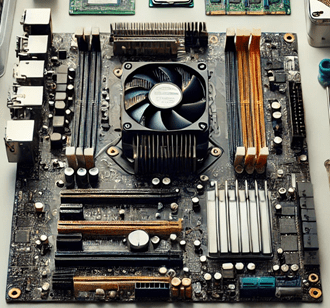
1. Damaged Motherboard
Problems with the motherboard cause restarts or power failures. Inspect the capacitors for swelling or leaks.
To repair damaged capacitors, use a soldering iron to replace them. Verify that the new ones are of the same voltage and capacity.
2. RAM memory failures
RAM errors cause blue screens or crashes. Use tools such as MemTest86 to diagnose and locate defective modules.
If cleaning the contacts does not solve the problem, replace the RAM with compatible, high-quality modules.
3. Hard Drive or SSD Issues
Hard drives can fail due to bad sectors. Software such as CrystalDiskInfo allows you to check the status of the device.
For damaged disks, perform a clone to transfer data to a new one before irrecoverable losses occur.
4. Faulty Power Supply
An unstable power source causes unexpected power outages. Use a multimeter to measure the voltages and ensure they are correct.
If the values are incorrect, replace the power supply with a certified one that meets the system's power requirements.
5. Graphics Card Issues
Visual artifacts or black screens are signs of GPU failure. Verify that the fan is working properly.
If the problem persists, clean the heat sink and apply new thermal paste to the graphics chip to improve cooling.
6. Fans or Cooling Systems
Overheating affects performance. Clean the fans and check that they rotate freely. Replace any that are not working properly.
Change the thermal paste on the processor and ensure good contact between the heat sink and the CPU to prevent overheating.
7. Damaged Connections and Ports
USB ports or internal connectors fail with use. Visually inspect for bent pins or wear.
Repair pins using precision tools or replace the part if it is too damaged to fix manually.
8. BIOS problems
Corrupt BIOS settings can cause errors. Reset the default values or update to a newer version.
Update the BIOS using official tools and strictly follow the instructions to avoid irreparably damaging the system.
Learn more http://Datasystem.es or in https://repararmac.eu/wp-admin/post.php?post=3661&action=edit